

When choosing a web hosting service, security is a top priority. Bluehost is well-known for its robust security features.
In today’s digital age, securing your website is crucial. With cyber threats on the rise, website owners need reliable protection. Bluehost, a leading web hosting provider, offers comprehensive security features to safeguard your site. From free SSL certificates to advanced malware protection, Bluehost ensures your website remains secure and trustworthy. This blog post will explore the various security features provided by Bluehost, helping you understand how these tools can protect your website from potential threats. Learn more about Bluehost here.
Introduction To Bluehost Security Features
When selecting a web hosting provider, security plays a critical role. Bluehost offers an array of robust security features to safeguard your website and data. Understanding these features can help you make an informed decision.
Overview Of Bluehost
Bluehost is a reputable web hosting service provider. It caters to a wide range of users, from beginners to advanced developers. Their hosting solutions include:
- Free domain name for the first year
- Free SSL certificate
- Unmetered bandwidth and storage
- High uptime and fast server response times
- Easy-to-use control panel (cPanel)
- 24/7 customer support via chat, phone, and email
- Drag-and-drop website builder
- One-click WordPress installation
Importance Of Website Security
Website security is essential to protect your data, maintain trust, and avoid downtime. Here are some key security features offered by Bluehost:
- SSL Certificates: Encrypts data transferred between your site and visitors.
- SiteLock: Provides daily malware scans and removal.
- CodeGuard: Offers daily backups and version control.
- Spam Experts: Filters out unwanted spam emails.
- Two-Factor Authentication: Adds an extra layer of login security.
These features ensure that your website remains secure and trustworthy. They also help prevent data breaches and other security issues.
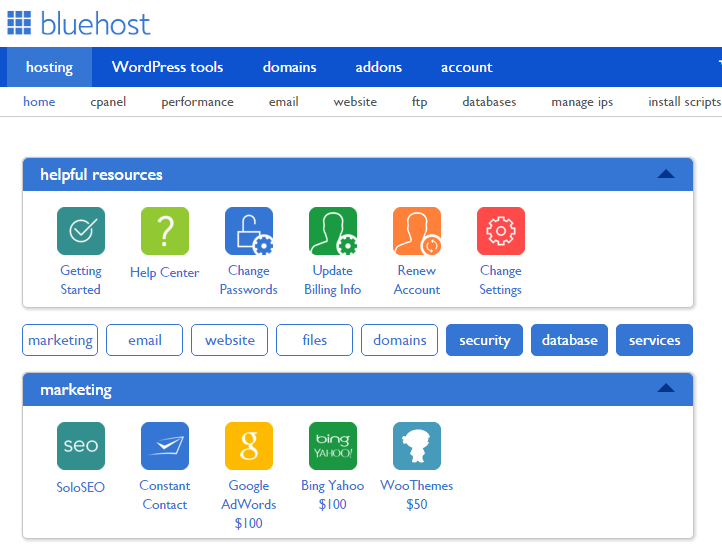
Credit: www.hostingmanual.net
Comprehensive Malware Protection
Bluehost offers robust security features to ensure your website remains secure. One key aspect is their comprehensive malware protection. It helps keep your site safe from malicious attacks.
Automatic Malware Scanning
Bluehost provides automatic malware scanning to protect your website. This feature scans your site regularly to detect any malware or vulnerabilities. It ensures that your site remains clean and free from potential threats.
Automatic malware scanning offers:
- Regular scans to detect malware
- Automatic removal of identified threats
- Prevention of future attacks
Real-time Malware Detection
Bluehost also offers real-time malware detection. This feature monitors your site 24/7 for any suspicious activity. It provides instant alerts if any malware is detected, allowing you to take immediate action.
Real-time malware detection includes:
- Continuous monitoring of your website
- Instant alerts for any detected threats
- Detailed reports on the nature of the threat
With these comprehensive malware protection features, Bluehost ensures your website remains secure and protected from any malicious attacks.
Advanced Ddos Protection
One of the standout features of Bluehost is its advanced DDoS protection. This ensures your website remains secure against cyber-attacks, specifically DDoS attacks, which can bring down your site. Let’s dive into how DDoS protection works and its benefits.
How Ddos Protection Works
DDoS protection involves several layers of security measures. The primary goal is to identify and block malicious traffic before it reaches your website.
- Traffic Filtering: Filters out illegitimate traffic using advanced algorithms.
- Rate Limiting: Limits the number of requests a user can make within a specific time frame.
- IP Blacklisting: Blocks traffic from known malicious IP addresses.
- Real-time Monitoring: Continuously monitors traffic patterns to detect anomalies.
These measures work together to ensure your website remains accessible to legitimate users, even during an attack.
Benefits Of Ddos Protection
Implementing DDoS protection on your Bluehost-hosted website has several key benefits:
- Increased Uptime: Ensures your website remains online, even during an attack.
- Enhanced Security: Protects your site from cyber-attacks, safeguarding your data and reputation.
- Improved Performance: Maintains fast server response times by filtering out malicious traffic.
- Peace of Mind: Provides confidence knowing your website is protected by advanced security measures.
With these benefits, Bluehost ensures your website remains secure, reliable, and performs optimally.
Ssl Certificates For Data Encryption
SSL certificates are crucial for maintaining a secure website. Bluehost offers free SSL certificates with all hosting plans, ensuring data encryption and security.
What Is An Ssl Certificate?
An SSL certificate is a digital certificate that authenticates a website’s identity. It enables an encrypted connection, ensuring data transfer between the web server and browser remains private.
SSL stands for Secure Sockets Layer. It is a security protocol that creates an encrypted link between a web server and a web browser. This link ensures that all data passed between the server and browser remain private.
How Ssl Enhances Security
SSL certificates enhance security by encrypting data. This makes it nearly impossible for hackers to intercept and misuse the information.
- Data Encryption: SSL encrypts data, making it unreadable to unauthorized users.
- Authentication: Verifies the website’s identity, ensuring users are communicating with the intended site.
- Data Integrity: Protects data from being altered or corrupted during transfer.
Bluehost provides a free SSL certificate with all hosting plans. This ensures all websites hosted on their platform are secure and trustworthy. The SSL certificate also boosts a site’s search engine rankings, enhancing visibility and traffic.
SSL certificates are essential for any website. Bluehost’s inclusion of free SSL certificates enhances website security and user trust.
Sitelock Security Integration
Bluehost offers robust security features through its integration with SiteLock. This collaboration ensures enhanced protection for your website. SiteLock security integration provides a comprehensive shield against various online threats.
Features Of Sitelock
SiteLock brings a suite of security features designed to keep your website safe. Here are some of the key features:
| Feature | Description |
|---|---|
| Daily Malware Scanning | Scans your site daily for malware and vulnerabilities. |
| Automatic Malware Removal | Automatically removes detected malware from your site. |
| Web Application Firewall (WAF) | Protects your site from malicious traffic and attacks. |
| SiteLock Trust Seal | Displays a trust seal on your site to assure visitors. |
| File Change Monitoring | Notifies you of any unauthorized changes to your files. |
How Sitelock Keeps Your Site Safe
SiteLock employs multiple strategies to secure your website. These strategies ensure that your site remains protected from various threats.
- Daily Malware Scanning: This feature scans your website every day. It looks for malware and vulnerabilities. If any are found, you are notified immediately.
- Automatic Malware Removal: SiteLock not only detects malware but also removes it. This process is automatic, ensuring that your site remains clean.
- Web Application Firewall (WAF): The WAF blocks malicious traffic. It prevents attacks before they reach your website.
- SiteLock Trust Seal: Displaying the trust seal on your site builds trust. It shows visitors that your site is secure.
- File Change Monitoring: This feature monitors changes to your files. Unauthorized changes trigger an alert, keeping you informed.
With these features, SiteLock ensures your website remains secure. Bluehost’s integration with SiteLock provides an added layer of protection. This collaboration helps you maintain a safe and trustworthy online presence.
Two-factor Authentication (2fa)
Two-Factor Authentication (2FA) adds an extra layer of security to your Bluehost account. It requires not just a password but also a second factor to verify your identity. This makes it harder for unauthorized users to access your account.
Setting Up 2fa
Setting up 2FA on your Bluehost account is simple and straightforward. Follow these steps:
- Log in to your Bluehost account.
- Navigate to the Security Settings section.
- Select Two-Factor Authentication.
- Follow the on-screen instructions to link your phone number or an authenticator app.
- Enter the verification code sent to your phone or generated by the app.
- Click Enable to activate 2FA.
Why 2fa Is Crucial For Security
2FA significantly enhances the security of your Bluehost account. Here are some key reasons why 2FA is crucial:
- Prevents Unauthorized Access: Even if someone knows your password, they cannot access your account without the second factor.
- Protects Sensitive Information: 2FA safeguards your personal and financial data.
- Reduces Risk of Hacking: Adds an extra layer of protection against cyber-attacks.
- Enhances Customer Trust: Customers feel safer knowing their data is secure.
Implementing 2FA is a simple step that can significantly improve your account security. With Bluehost, activating 2FA is easy and helps protect your website from potential threats.
Regular Backups For Data Safety
Ensuring your website’s data is safe is crucial. Bluehost offers regular backups to protect your information. This feature provides peace of mind, knowing your data is secure and recoverable. Let’s delve into the specifics of their backup processes and how to restore data effectively.
Automated Backup Processes
Bluehost provides automated backup processes to safeguard your data. These backups occur regularly, ensuring your website’s latest version is always preserved. This automation eliminates the need for manual backups, saving time and effort.
- Daily, weekly, and monthly backups
- Automatic scheduling
- Secure storage of backup files
With automated backups, your data is continuously protected. This feature is essential for maintaining your website’s integrity.
Restoring Data From Backups
Restoring data from backups is straightforward with Bluehost. The user-friendly control panel makes the process simple and efficient. This ensures minimal downtime and quick recovery.
- Access the control panel (cPanel).
- Navigate to the “Backup” section.
- Select the backup file you wish to restore.
- Follow the prompts to complete the restoration.
Restoring data is crucial in case of data loss or corruption. Bluehost’s intuitive interface ensures you can recover your data with ease.
These backup and restoration features are vital for any website. They provide security and peace of mind, knowing your data is always safe and recoverable.

Credit: www.bluehost.com
Firewall Protection
Bluehost takes website security seriously, and one of the key features it offers is Firewall Protection. This feature helps to keep your website safe from various online threats. In this section, we will dive into how firewall technology works and the benefits it brings to your website.
Understanding Firewall Technology
A firewall acts as a barrier between your website and potential threats from the internet. It monitors incoming and outgoing traffic and decides whether to allow or block specific traffic based on predetermined security rules.
There are different types of firewalls, including network firewalls and web application firewalls (WAFs). Network firewalls filter traffic at the network level, while WAFs focus on protecting web applications by filtering, monitoring, and blocking HTTP traffic to and from a web service.
Firewall Benefits For Websites
Implementing firewall protection provides numerous benefits for websites. Here are some key advantages:
- Enhanced Security: Firewalls help to block malicious traffic, including hackers, malware, and DDoS attacks.
- Improved Performance: By filtering out unwanted traffic, firewalls can help to improve the overall performance of your website.
- Data Protection: Firewalls protect sensitive data from being accessed or stolen by unauthorized users.
- Compliance: Using a firewall can help you meet industry standards and regulations for data protection.
By utilizing Bluehost’s firewall protection, you can enhance the security and reliability of your website, ensuring a safer experience for your visitors.
Pricing And Affordability Of Bluehost Security Features
Bluehost offers a range of security features designed to protect your website. These features come at different price points, ensuring affordability for various budgets. Understanding the costs and value of these add-ons can help you make an informed decision.
Cost Of Security Add-ons
Bluehost provides several security add-ons to enhance your website’s safety. Below is a list of key security features and their respective costs:
- SiteLock Security: Starts at $1.99 per month
- CodeGuard Basic: Starts at $2.99 per month
- Domain Privacy + Protection: Starts at $0.99 per month
- SpamExperts: Starts at $2.99 per month per domain
These add-ons can be purchased individually based on your specific needs, allowing you to customize your security plan.
Value For Money Analysis
Bluehost’s security features offer significant value for money. Here’s a detailed analysis:
| Feature | Cost (per month) | Benefit |
|---|---|---|
| SiteLock Security | $1.99 | Protects against malware and cyber threats |
| CodeGuard Basic | $2.99 | Automatic daily backups and file restoration |
| Domain Privacy + Protection | $0.99 | Hides personal information from WHOIS database |
| SpamExperts | $2.99 | Advanced email filtering to block spam |
Investing in these security features ensures your website is well-protected. The cost is minimal compared to the potential loss from security breaches.
Overall, Bluehost offers affordable and effective security solutions. This makes it a suitable choice for users seeking reliable web hosting with strong security features.
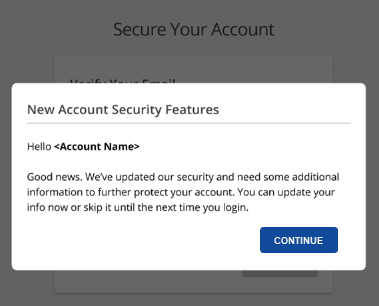
Credit: www.bluehost.com
Pros And Cons Of Bluehost Security Features
Bluehost is a popular web hosting provider known for its reliability and security. Understanding the strengths and weaknesses of its security features is essential before making a decision. Here, we will explore the pros and cons of Bluehost security features.
Strengths Of Bluehost Security
Bluehost offers several robust security features to keep your website safe:
- Free SSL Certificate: This ensures that data transferred between your site and users is encrypted.
- Secure Shell (SSH) Access: Allows secure access to your hosting account, providing an added layer of protection.
- SiteLock: Provides malware scanning and removal, protecting your site from threats.
- CodeGuard: Automated daily backups and monitoring to keep your data secure.
- Spam Protection: Tools like SpamExperts help keep your email free from malicious spam.
Areas For Improvement
While Bluehost offers numerous security features, there are areas where it could improve:
- Advanced Security Options: Some advanced security features are available only on higher-tier plans.
- Manual Configuration: Certain security settings require manual configuration, which might be challenging for beginners.
- Additional Costs: Features like SiteLock and CodeGuard come with extra fees on some plans.
- Limited Customization: Users might find limited customization options for specific security settings.
Overall, Bluehost provides a solid security foundation, but users should be aware of the areas where enhancements are needed.
Who Should Use Bluehost Security Features?
Bluehost offers a range of robust security features designed to protect websites. But who will benefit the most from these security measures? From beginners to advanced users, understanding the ideal users and scenarios can help you decide if Bluehost’s security features are right for you.
Ideal Users And Scenarios
Bluehost security features cater to a diverse audience. Here are some ideal users:
- Small Business Owners: Protect sensitive customer data and ensure website reliability.
- Bloggers: Secure your content and maintain your audience’s trust.
- eCommerce Websites: Safeguard transactions and protect customer information.
- Beginner Website Owners: Easy-to-use security tools that require no advanced knowledge.
- Developers: Advanced security options for custom website solutions.
Each of these user groups has unique needs that Bluehost’s security features can meet effectively.
Real-world Use Cases
Let’s explore some real-world scenarios where Bluehost security features prove invaluable:
- Startups: A tech startup using Bluehost can benefit from the free SSL certificate, ensuring data encryption from day one. This builds user trust and protects intellectual property.
- Personal Blogs: A travel blogger can rely on Bluehost’s high uptime and fast server response times. This keeps the blog accessible and secure, even during peak traffic periods.
- Online Stores: An online store owner can leverage the unmetered bandwidth and storage. This ensures smooth and secure transactions during sales and promotions.
- Educational Websites: An educational site offering online courses can use the 24/7 customer support. This resolves any security concerns quickly, ensuring uninterrupted learning for students.
These examples illustrate how Bluehost’s security features can support different types of websites, providing peace of mind and reliable protection.
Frequently Asked Questions
What Security Features Does Bluehost Offer?
Bluehost offers SSL certificates, SiteLock, and CodeGuard. These protect your website from threats and data loss.
Is Bluehost’s Ssl Certificate Free?
Yes, Bluehost provides a free SSL certificate with all hosting plans. It helps secure data transfer on your site.
How Does Sitelock Protect My Website?
SiteLock scans your site for malware and vulnerabilities. It helps prevent hacks and keeps your site safe.
Conclusion
Bluehost security features offer robust protection for your website. With a free SSL certificate and 24/7 support, your site stays secure. The user-friendly interface makes managing security settings simple. High uptime ensures your site is always accessible. Reliable security features give peace of mind. Ready to secure your website with Bluehost? Click here to learn more and get started.